
Project Operations
Learn to support a project from setup to closure: records, scope, schedules, meetings, risks, costs, change, reporting and handover. Learn in NIBS Campus, do the work in the Workplace Lab, and have each competency recorded by NIBS.
- Duration
- About 103 hours of study and practice over 12 weeks, About 9 hours a week
- Mode
- Online, at an e-Learning Cafe, or at Katlehong Computer School
- Credential
- Professional Certificate
- Level
- Role Pathway
- Access
- Included in NIBS Plus
- Start
- Start any time
Role Pathway learning is included in NIBS Plus. Assessment for a NIBS credential may carry a separate fee, confirmed before you pay. NIBS credentials are institutional awards; no accreditation is claimed for this pathway.
The pathway explained
What this pathway is, who it is for, what you study and how it works, in 2 minutes 59 seconds.
Read the transcript
This is Project Operations, a NIBS Role Pathway. It is for people who want to keep a project organised.
It prepares you to support a project, from setup to closure. You work on one continuous project, a community digital skills rollout, from start to finish. In OpenProject and Microsoft 365, or the NIBS project workbook, at a fictional organisation with made-up data.
It is for people aiming for a first project administration, support or coordination role. For office administrators ready to support projects. And for people already helping on projects, who want their skills recorded.
It helps you prepare for entry-level roles, like project administrator, project assistant, and junior project coordinator. And PMO administrator, project support officer, and programme administrator. Job titles vary, and NIBS does not guarantee employment.
Governance and records, and scope and requirements. Schedules and milestones, and stakeholders and meetings. Risks, issues and the RAID log, and costs and procurement. Change, quality and status reporting, closure and handover, and responsible AI.
NIBS teaches in three steps. Learn it, in short lessons and videos. Do it, with practical work for a project manager. Prove it, in the Workplace Lab.
In the Workplace Lab, each task comes from the project manager, with a brief, a rubric you can read first, and the files you need. You hand in your work, and a NIBS assessor reviews it: Competent, or resubmission required, with feedback. Handing in opens the next module, so you never wait for a mark.
There are twelve tasks, one for each competency, and a capstone that brings them together. For example, you build a schedule with milestones, keep the RAID register, write a weekly status report, and prepare the closure and handover.
Finishing lessons shows progress. It is not competence. A competency is recorded only when an assessor decides it, on your Workplace Lab work. It then shows on your Skills Passport.
Three things earn your Professional Certificate. Every module is complete, including the capstone. All twelve competencies are recorded as Competent. And assessed workplace evidence is behind them. You can share it, and anyone with the link can verify it. It is a NIBS credential, not an accredited qualification, and no professional body endorses it.
Join NIBS Campus, which is free. Have NIBS Plus, which includes the pathway. Press Start this pathway on its page, and confirm. Module 0 opens, and your Workplace Lab board is set up.
Project Operations: a project, from setup to closure, learned, practised and proved.
What is this programme?
Project Operations is the NIBS Role Pathway for people who want to keep projects organised and moving. You learn to support a project from setup to closure: the project records and governance, scope and requirements, the schedule and milestones, stakeholders and meetings, actions and decisions, risks and issues, costs and suppliers, change and quality, status reporting, adaptive and hybrid delivery, responsible AI, and closure and handover.
It is not exam preparation for PMP or PRINCE2, and it does not teach one method. You learn the work a project administrator actually does, aligned to the current recognised standards, and you do it in OpenProject and Microsoft 365. You work as the Junior Project Administrator on the KhulaWorks Community Digital Skills Rollout, a fictional project bringing digital-skills training to five community centres in Gauteng, and every task is assessed by NIBS against a published standard.
Who is it for?
This pathway suits people at different starting points:
- School leavers and young adults looking for a first project administration or project support role.
- Administrators who already support projects and want their skills formally recorded.
- Office and customer operations staff who want to move into project coordination.
You need to read and write English well and be comfortable using a computer, or be willing to learn at an e-Learning Cafe with facilitator support. You need no paid software: OpenProject's free Community edition (or the NIBS project workbook) and the Microsoft 365 apps you have are enough.
What will I be able to do?
Project setup and control
- Keep a project's governance records: roles, approvals, decisions and the document register
- Capture scope, requirements, deliverables and acceptance criteria, and keep them under control
- Build and track a schedule with dependencies and milestones
People and coordination
- Keep the stakeholder register and communication plan, and coordinate project communication
- Prepare meetings, take minutes and follow actions and decisions to closure
Risks, money and change
- Maintain the RAID log (risks, assumptions, issues, dependencies) and escalate what needs a decision
- Track resources, costs and commitments, compare quotations and keep procurement records clean
- Administer change requests, quality checks, acceptance and version control
Reporting, tools and closure
- Report progress honestly against the baseline, with RAG status and a dashboard
- Support predictive, agile and hybrid delivery in OpenProject and Microsoft 365
- Use AI with human checks, and prepare closure, handover and lessons learned
Skills you'll build
Some modules of this pathway are also Skill Courses on their own: the same lessons, for a certificate of completion. Take one to try the pathway, or to sharpen one skill.
- Project Administration EssentialsModule 6, About 5 hours
- Project Scheduling & MilestonesModule 4, About 5 hours
- Project Risk & Issue ManagementModule 7, About 5 hours
Competencies recorded by NIBS for this programme:
- Project Environment & Governance Administration (PRO-RP-C01)
- Scope & Requirements Administration (PRO-RP-C02)
- Project Planning & Scheduling (PRO-RP-C03)
- Stakeholder & Communication Coordination (PRO-RP-C04)
- Meetings, Actions & Decisions (PRO-RP-C05)
- Risk, Issue, Assumption & Dependency Administration (PRO-RP-C06)
- Resource, Cost & Procurement Administration (PRO-RP-C07)
- Change & Quality Administration (PRO-RP-C08)
- Project Measurement & Reporting (PRO-RP-C09)
- Digital Project Tools & Responsible AI (PRO-RP-C10)
- Adaptive & Hybrid Project Support (PRO-RP-C11)
- Project Closure, Handover & Lessons (PRO-RP-C12)
What will I actually do?
Workplace Lab tasks are the heart of the programme. Each is real project support work on the KhulaWorks rollout, done to a project manager's brief and a published standard:
- Set up the project's governance pack: roles, decisions, approvals and the document register.
- Choose and justify the delivery approach and set the project up in OpenProject.
- Turn stakeholder input into a scope statement, requirements and deliverables.
- Build the schedule with dependencies and milestones, and spot the slippage.
- Keep the stakeholder register and run a steering meeting: agenda, minutes, actions.
- Run the weekly coordination cycle and chase the actions nobody owns.
- Keep the RAID log and write an escalation brief.
- Compare supplier quotations and keep the cost tracker true.
- Administer a change request and the centre acceptance checks.
- Produce the weekly status report and dashboard.
- Support a hybrid workstream and check an AI-generated summary.
- Close a wave of the rollout with handover and lessons learned.
- A capstone: the whole project in one pack, for a steering committee.
How long does it take?
About 103 hours of study and practice over 12 weeks. Each module opens when you finish the one before it, not on a date, and your study plan paces you without cut-offs. Start any time.
How will I study?
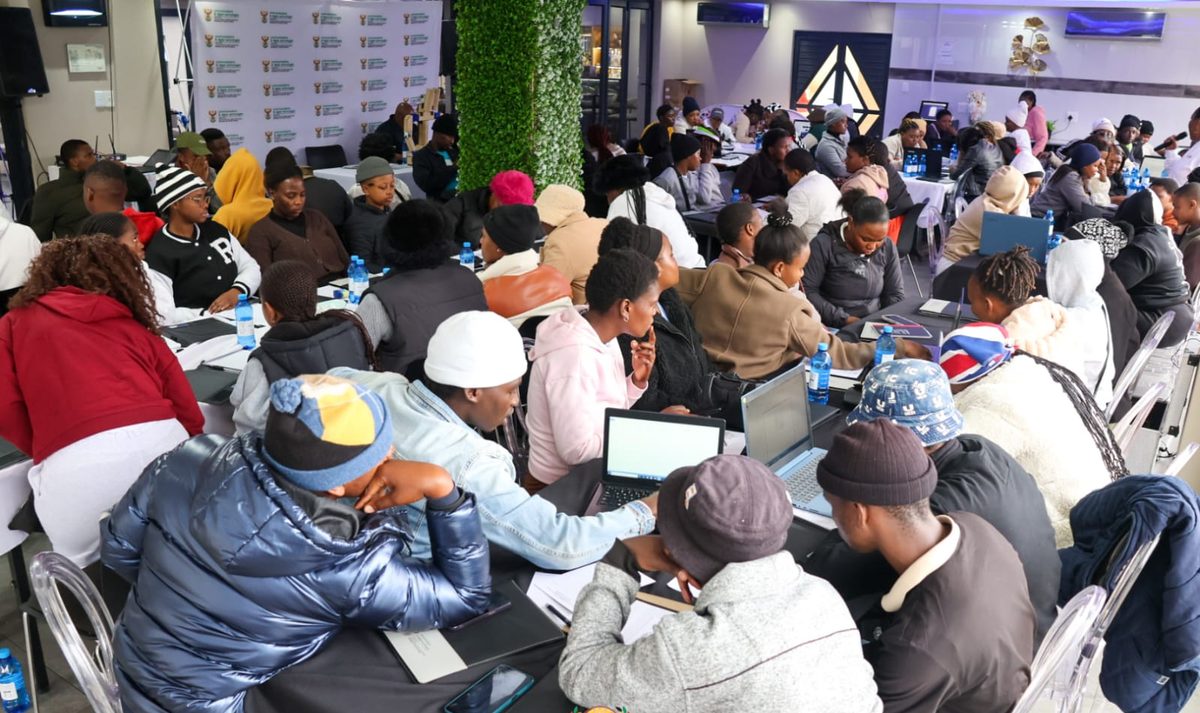
Online through NIBS Campus, at a NIBS e-Learning Cafe with computers and a facilitator, or at Katlehong Computer School. Workplace Lab tasks are completed from any of them. Every learner gets the same facilitation, task feedback and portfolio support.
Where does the work happen?
You learn in NIBS Campus. The Workplace Lab is where you do the work: each task is given to you there, you submit your evidence there, and a NIBS assessor reviews it there. The decision is recorded by NIBS against your name.
The pathway moves through the three stages:
-
Learn
Orientation and preparation
Orientation, the project environment and delivery approaches at NIBS.
In NIBS Campus
-
Do
Guided practice
Project support tasks on the rollout in the Workplace Lab.
In the Workplace Lab
-
Operate
Less-guided workplace simulation
Closing a wave of the rollout, and the whole project in one pack, reviewed as a whole.
In the Workplace Lab
What evidence will I produce?
Your evidence is the work you did, not a test about it. Over the programme you build a portfolio that includes:
- A governance pack, a scope statement and a requirements register.
- A schedule with dependencies and milestones, in OpenProject or the project workbook.
- A stakeholder register, meeting minutes, and action and decision logs.
- A RAID log with an escalation brief.
- A quotation comparison, a cost tracker and a change request with its impact.
- A weekly status report with a dashboard.
- A closure report, a handover checklist and lessons learned.
- Assessor feedback, and your response where a resubmission was asked for.
Every submission moves through the same states:
- Assigned
- In progress
- Submitted
- Under review
- Competent
- Resubmission required
- Closed
What credential do I receive?
Each competency you demonstrate is recorded by NIBS and can be verified online. When every requirement is met, NIBS issues the NIBS Professional Certificate in Project Operations. It is an institutional award issued by NIBS. The pathway is aligned to the PMBOK Guide (Eighth Edition), the APM Body of Knowledge (8th edition), IPMA's ICB4 and PRINCE2 (7th edition) for what it teaches; it is not approved, endorsed or recognised by PMI, APM, IPMA, PeopleCert or Project Management South Africa (PMSA), it does not prepare you for their exams, and no accreditation, CPD approval or vendor certification is claimed. It is not an accredited or occupational qualification.
Where can this lead?
Roles this pathway prepares you for:
- Project Administrator
- Project Assistant
- Junior Project Coordinator
- PMO Administrator
- Project Support Officer
- Programme Administrator
From here you can add another Role Pathway, explore professional recognition in your field, or apply for a formal occupational qualification where one is offered.
Careers this is part of:
Skill topics this teaches:
What does it cost?
Role Pathway learning and Workplace Lab practice are included in NIBS Plus. Assessment of your portfolio for a NIBS credential may carry a separate fee, confirmed before you pay. Organisations can sponsor places; see NIBS for Organisations.
How do I start?
- Join NIBS Campus freeOne short form. Explore the role and start the free courses.
- Add NIBS PlusMonthly or prepaid. Choose this pathway as your active Role Pathway.
- Start with OrientationMeet KhulaWorks and the rollout, then your first project records.